

1 / 5 · 点击缩略图查看
定制商品IVOCLAR-081
Ivoclar Ivoclar Monitoring
Ivoclar Monitoring
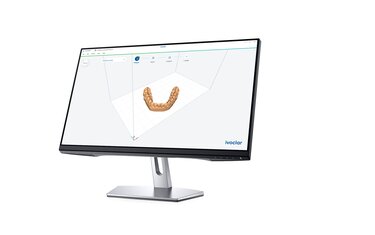
Ivoclar Monitoring是一款免费的远程实验室监控应用,支持用户24/7随时随地追踪Ivoclar PrograMill、Programat和PrograPrint设备的运行状态。该系统提供实时的设备状态、序列号、软件版本信息,并能进行设备利用率分析,同时通过推送通知实现状态更新。具体功能包括针对PrograMill设备的刀具库概览、材料更换器中的材料信息及维护清洁建议;PrograMill和
参考起订量
1000
计量口径见定制说明
商品资料更新:2026/8/15
规格与选型
- 品牌
- Ivoclar
- 官网
- https://www.ivoclar.com/en_us/products/digital-equipment/ivoclar-monitoring
- 来源
- 厂家官网公开信息(Playwright 采集 2026-08)· 客观整理 · 未实测
- 分类段
- digital-equipment
- 厂家参数原文
- Ivoclar® Monitoring Take control from wherever you are with remote lab monitoring Device monitoring, anytime and anywhere Smart, transparent and free of charge: the Ivoclar Monitoring app keeps you informed at all times. Real-time updates and push notifications let you track the status and utilization of your PrograMill, Promgramat or PrograPrint Device - 24/7 from whereever you are. Features The status and details of all the connected PrograMill, PrograPrint and/or Programat devices* are shown including the following information: Deviceinformation incl. status, serial number and softwareversion Status updates with push notifications Device utilization analytics Program overview (only Programet G2) Job list (only PrograMill & PrograPrint) Tool magazine overview (only PrograMill) Maintanance and cleaning recommendations (only PrograMill) Overview material in material changer (only PrograMill) Installation process in 3 easy steps Open a customer account and register your device at mydevice.ivoclar.com. Download Ivoclar Monitoring from the Apple App Store or Google Play Store. Log in to the app with the login data from your Ivoclar customer account. Download iOS Ivoclar Monitoring iOS app at the Apple App Store Download now Download Android Ivoclar Monitoring Android App at the Google Play Store Download now Desktop Version Access Ivoclar Monitoring conveniently from your desktop Sign in now Availability overview:Learn more about compatible devicesand its availabiltity for different countries. Related Products and Workflows PrograMill 7 | 5-Axis Dental Milling Machine | Ivoclar USA Explore the PrograMill 7, a 5-axis dental milling machine delivering precise zirconia and CAD/CAM restorations with automation to boost your lab's efficiency. More details PrograMill PM7 | Dental Milling Machines | Ivoclar USA Meet the highest standards with PrograMill PM7, a high-performance milling machine for a variety of materials and applications in wet and dry operation. More details PrograMill PM3 | Dental Milling Machines | Ivoclar USA The PrograMill PM3 is more than an entry-level dental mill: It offers technical sophistication, intuitive operation and high-quality results. Find out more. More details Programat ceramic furnaces | Dental Furnaces | Ivoclar USA Experience precise firing results with Ivoclar's Programat Ceramic Furnaces. Proven technology, versatile, and easy-to-use. More details Programat press furnaces | Dental Furnaces | Ivoclar US Create precise and effic --- Features The status and details of all the connected PrograMill, PrograPrint and/or Programat devices* are shown including the following information: Deviceinformation incl. status, serial number and softwareversion Status updates with push notifications Device utilization analytics Program overview (only Programet G2) Job list (only PrograMill & PrograPrint) Tool magazine overview (only PrograMill) Maintanance and cleaning recommendations (only PrograMill) Overview material in material changer (only PrograMill) Installation process in 3 easy steps Open a customer account and register your device at mydevice.ivoclar.com. Download Ivoclar Monitoring from the Apple App Store or Google Play Store. Log in to the app with the login data from your Ivoclar customer account. --- Installation process in 3 easy steps Open a customer account and register your device at mydevice.ivoclar.com. Download Ivoclar Monitoring from the Apple App Store or Google Play Store. Log in to the app with the login data from your Ivoclar customer account. --- Installation process in 3 easy steps
定制与交付
起订计量单位、工艺限制、交付日期及包装方案,以双方确认的订单为准。
订购与包装
- 参考最小起订量
- 1000
专业知识与选型解答
专业实践
诊室流程数字化
描述实际做法,不代表专利或知识产权认证。
贸易、标准与资料依据
以下为商品资料登记。标准名称、文件编号或状态记录不等于平台独立核验,也不自动构成监管批准。
- 登记产地
- CN
AustinEco · 专业定制协作。产品选型、工艺与交付条件,以已确认的方案和订单为准。